Area 41 Car Audio

Georgia's Mobile Enhancement Experts

2220 Cobb Pkwy NW, Kennesaw, GA (678) 594-0141
  • Home
  • Services
    • Car Audio
    • Laser and Radar Detectors
    • Motorcycle Audio
    • Vehicle Security
    • Window Tint
  • About Us
  • Location
  • Contact Us
  • Shop
  • Facebook
  • Instagram
  • Twitter
You are here: Home / RESOURCE LIBRARY / Control Your Vehicle with Google Assistant or Apple Siri

Control Your Vehicle with Google Assistant or Apple Siri

Google Siri Control

Drone from Firstech has made communicating with your vehicle more accessible than ever, thanks to integration with digital assistants like Google Assistant and Apple Siri. Remember when Michael Knight used to talk to KITT using a communicator on his watch? KITT could start the engine and be ready to go in a split-second once Michael arrived on the scene! If you’re feeling like recreating some classic ’80s television or simply want to unlock the doors of your vehicle without having to touch anything, Drone and the DroneMobile App have made this a reality.

DroneMobile and Apple Siri Control

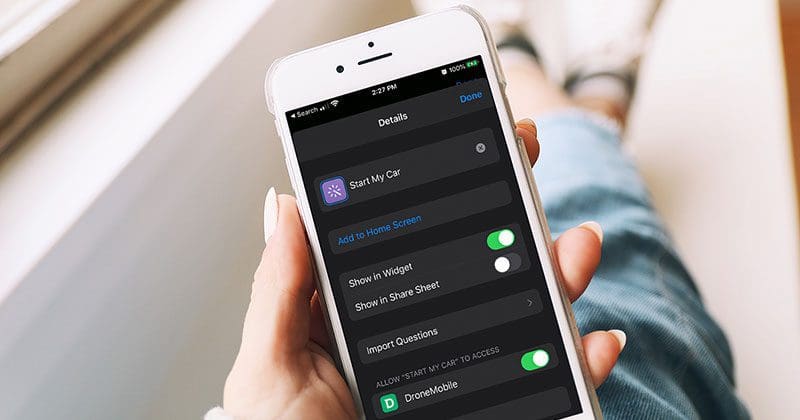
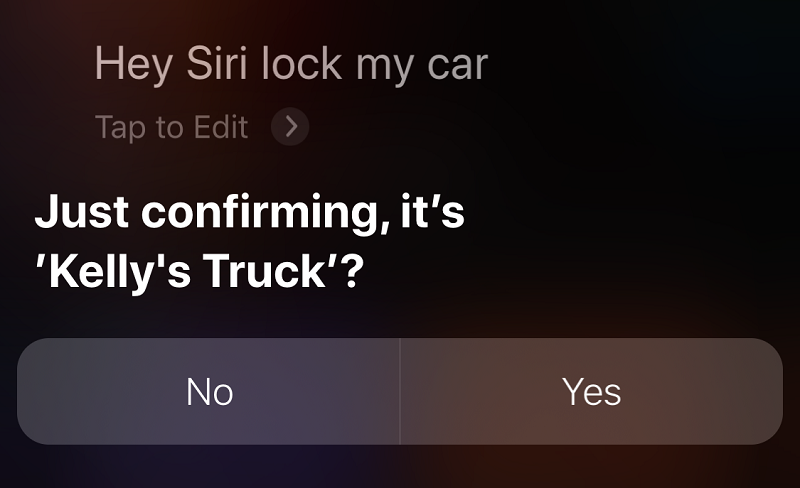
Version 4.3 of the DroneMobile app for iOS adds Siri digital assistant integration using Shortcuts. Shortcuts is a scripting app that acts as a go-between for DroneMobile and Siri so that your voice commands can control your vehicle. Once configured, you can say, “Hey Siri, lock my car.” Siri will confirm the vehicle you want to lock using the name you entered on the Drone web interface. You can say “Yes,” and the vehicle will lock a second or two later. You can tell Siri to start your vehicle just as quickly. Just say, “Start my car.”
Google Siri Control
When you request an action, Siri will confirm the name of the vehicle using the information you provided in the Drone web interface.

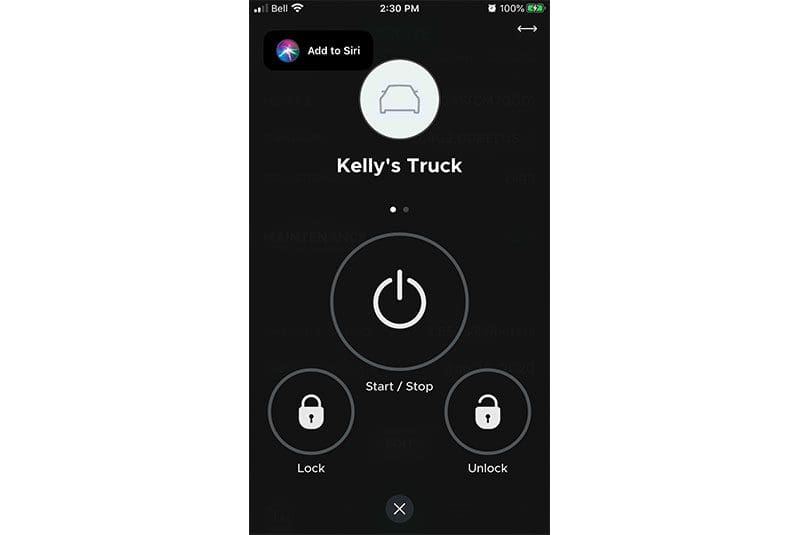
Adding the shortcut from DroneMobile to your smartphone is easy. All you have to do is tap on the Add to Siri icon at the top of the Controls Screen. The Shortcut app will pop up and let you customize the command text. You can configure it to recognize any text command you want. If you want the standard “Start my car,” then click Add to Siri. Alternatively, you can enter a custom command string like “Fire up my ride” or “Kitt, it’s time for action.” Other Drone commands that are compatible with Siri and the Shortcuts app are Stop, Lock, Unlock, Trunk, Aux 1 or Aux 2.
Google Siri Control
The Controls screen in the Apple DroneMobile app has a direct link to add a Shortcut to Siri.

DroneMobile and Google Assistant

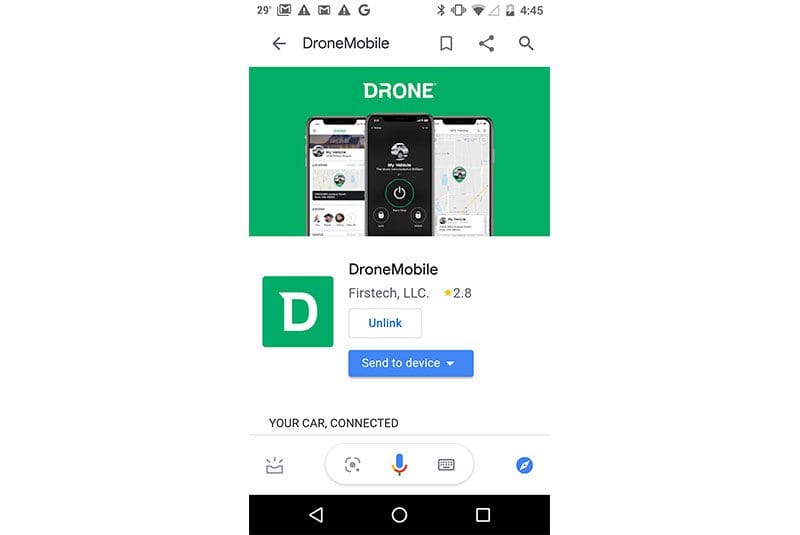
If you are an Android phone user or have a Google Nest smart speaker in your home or office, then you can integrate the Google Assistant app with DroneMobile to control your vehicle. You’ll need Version 4.4 of the DroneMobile app to make this happen. The Google Assistant and latest DroneMobile apps are, of course, available from the Google Play store.
Google Siri Control
Once you’ve linked DroneMobile with Google Assistant, it’s easy to send commands to your vehicle.

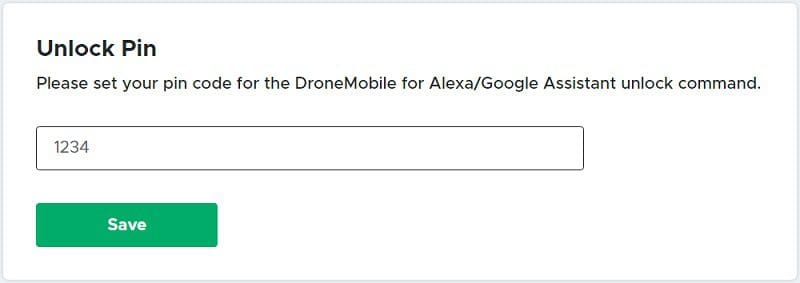
Drone has added an extra level of safety and security to its Android solution by including a PIN code. You can configure the PIN by logging into the Drone web interface, clicking on Edit Profile, then scrolling down to Unlock PIN.

Voice commands work a little differently on Android. If you want to remote start your vehicle, say, “Hey Google, use DroneMobile to start Kelly’s Truck.” In the background, Google Assistant launches the interface to DroneMobile, then transmits your request to start the vehicle. You’ll be asked to confirm the PIN for starting or unlocking commands. The system works best when you say the pin as a number, rather than a series of digits. So, one-thousand two-hundred and thirty-four trumps one two three four.
Google Siri Control
You can configure the remote start and unlock the PIN code using the Drone web interface.

Talking To Your Vehicle Is Easy

Giving your engine a few minutes to warm up while you gather your belongings in the morning can dramatically reduce wear on the engine and make the vehicle more comfortable if it’s hot or cold out. Being able to use voice commands with the latest versions of the DroneMobile app means you can multitask. When breakfast is finished, and you’re loading the dishwasher, just say, “Hey Siri, start my car.” All of the functions that work with your phone or smart speaker will also work with an Apple Watch or Android SmartWatch.

If you’d like to be able to use voice commands to control your vehicle, drop by your local authorized Firstech dealer and ask about the Drone telematics interface and a Compustar, Arctic Start, FTX or iDatastart vehicle security or remote starter system. You can find a dealer near you using the dealer finder. Be sure to visit the blog section on the Drone website, Facebook, Twitter, Instagram or YouTube to learn about any new features, products and technologies from Firstech and Drone.

This article is written and produced by the team at www.BestCarAudio.com. Reproduction or use of any kind is prohibited without the express written permission of 1sixty8 media.

This article is written and produced by the team at www.BestCarAudio.com. Reproduction or use of any kind is prohibited without the express written permission of 1sixty8 media.

Share this:

  • Click to email a link to a friend (Opens in new window) Email
  • Click to share on Facebook (Opens in new window) Facebook
  • Click to share on X (Opens in new window) X
  • Click to share on Pinterest (Opens in new window) Pinterest

Related

Filed Under: RESOURCE LIBRARY, ARTICLES, PRODUCTS, Remote Car Starters Tagged With: DroneMobile

About BestCarAudio.com

BestCarAudio.com is a showcase for the very best mobile electronics retailers in the world and a place to educate and inform interested consumers about existing and emerging technologies.

Recent Articles

Two cars facing off with a host of speakers behind them

How Many Subwoofers Does My Car Stereo Need?

December 21, 2025 

We recently saw someone ask how many subwoofers they should use in their car audio system. They qualified the question by adding that cost and space weren’t issues and that their … [Read More...]

Rockford Fosgate Punch P1V2-65

Product Spotlight: Rockford Fosgate Punch P1V2-65

December 15, 2025 

If there is a single word that car audio enthusiasts associate with the brand Rockford Fosgate, that would be “Punch”. From the early Punch amplifiers, speakers and subwoofers, … [Read More...]

A subwoofer and efficiency meter

Car Audio Amp Efficiency Matters More Than You Think

December 14, 2025 

Social media conversations are often a great source of content ideas here at BestCarAudio.com. We were recently talking to someone about why loading down an amplifier isn’t an … [Read More...]

A woman looking at various types of remote starters

Choosing the Best Car Starter Remote

December 8, 2025 

Under the hood, most remote car starters are very similar. Most brands offer two or three different controllers and allow the shop you work with to bundle those units with … [Read More...]

An orchestra and an audio sound graph

The Four Stages of High-End Car Audio – Frequency Response

December 7, 2025 

Listening to a genuinely high-end home or car audio system can be amazing. For those who care about sound quality, several technical considerations separate a very good audio … [Read More...]

Subscribe!

Enter your email address to subscribe to our website and receive notifications of new posts by email.

Testimonials

Best Experience!

I went into Area 41 today to upgrade my subs and the salesman spent a long time with me and didn't rush me I really appreciate that I was able to listen to different systems in different cars. I was able to get a whole system that is a lot better than just getting the subs I came in to ask about thank you

I Love This Place!

I love this place! Very knowledgeable staff and they installed one 12 that sounds like 2 for cheap. They also took the time to make sure that the car looks like it does before the installation so you can't even tell anything was touched. If you want awesome car audio come here!

Awesome Staff

Awesome staff and very precise with details. Long wait but they have a comfortable atmosphere and make you feel at home so the wait wasn't bad at all. Will be taking my other car for them next week. I highly recommend them!

Subscribe to Our Website

Enter your email address to subscribe to our website and receive notifications of new posts by email.


Get Directions to Area 41 Car Audio

Find Us

Area 41 Car Audio

2220 Cobb Pkwy NW
Kennesaw, GA 30152
(678) 594-0141

Connect With Us

  • Facebook
  • Instagram
  • Twitter

Services

  • Car Audio
  • Laser and Radar Detectors
  • Motorcycle Audio
  • Vehicle Security
  • Window Tint

Hours

Tuesday, Wednesday, Thursday, Friday10:00 am – 6:00 pm
Saturday10:00 am – 4:00 pm

Copyright © 2025 Area 41 Car Audio · Privacy Policy · Website by 1sixty8 media, inc. · Log in


Loading Comments...